Donation experience audit
Your donor experience, step by step
El Pasoans Fighting Hunger Food Bank
Walkthrough recorded October 20, 2026 · Prepared by Fundraise Up
Donation experience audit
El Pasoans Fighting Hunger Food Bank
Walkthrough recorded October 20, 2026 · Prepared by Fundraise Up
Scorecard
10/21
Points across 8 areas of the donor experience
One point for each Yes on the scorecard. Security counts as 1 point when at least 3 of its 4 checks are met.
| Area | Score | Main finding |
|---|---|---|
| Discovery & flow | 2 / 3 | Form opens on a separate Blackbaud page |
| Ease of giving | 1 / 3 | Long form; over a minute to complete |
| Mobile experience | 2 / 2 | Apple Pay and Google Pay offered |
| Payment options | 1 / 3 | PayPal is a separate link; US dollars only |
| Conversion optimization | 1 / 3 | No monthly nudge or unfinished-gift recovery seen |
| Recurring giving | 1 / 3 | No prompt to upgrade a one-time gift |
| Retention & self-service | 1 / 3 | No next step or giving portal seen after the gift |
| Security & compliance | 1 / 1 | Scored on the platform’s credentials |
El Pasoans Fighting Hunger · Donor experience audit
2
How we tested
On a desktop browser we made a $10 monthly gift with the processing fee covered, then checked the receipt email. The deck follows the same six steps.
1
2
3
4
5
6
Personal details in the screenshots are blurred
3
Step 1 · Homepage
Working well
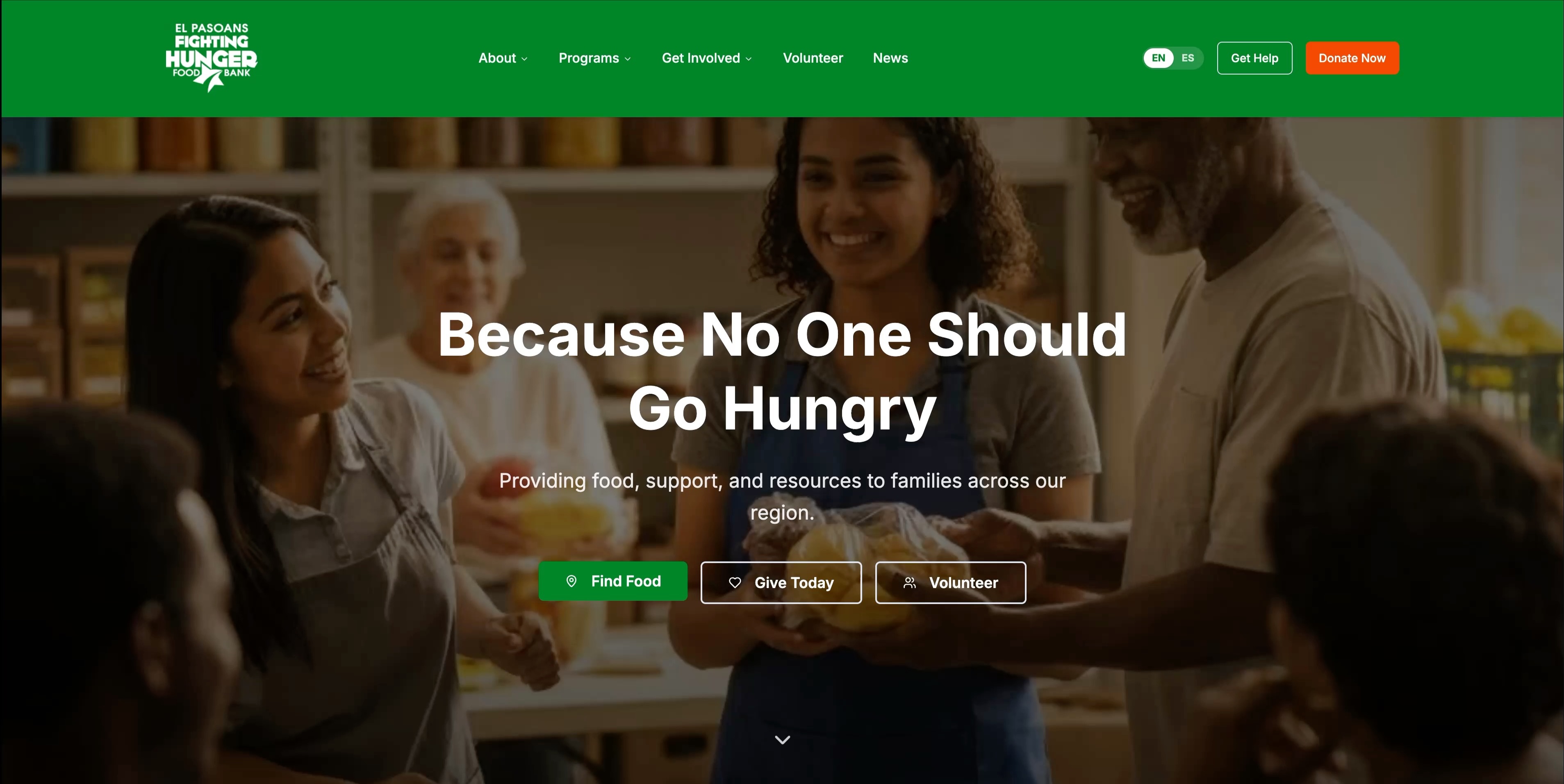
An orange “Donate Now” button sits in the main header.
“Give Today” is one of three buttons in the hero, next to “Find Food” and “Volunteer”.
El Pasoans Fighting Hunger · Donor experience audit
4
Step 1 · Homepage
Working well
The header, with “Donate Now”, stays at the top of the screen while you scroll.
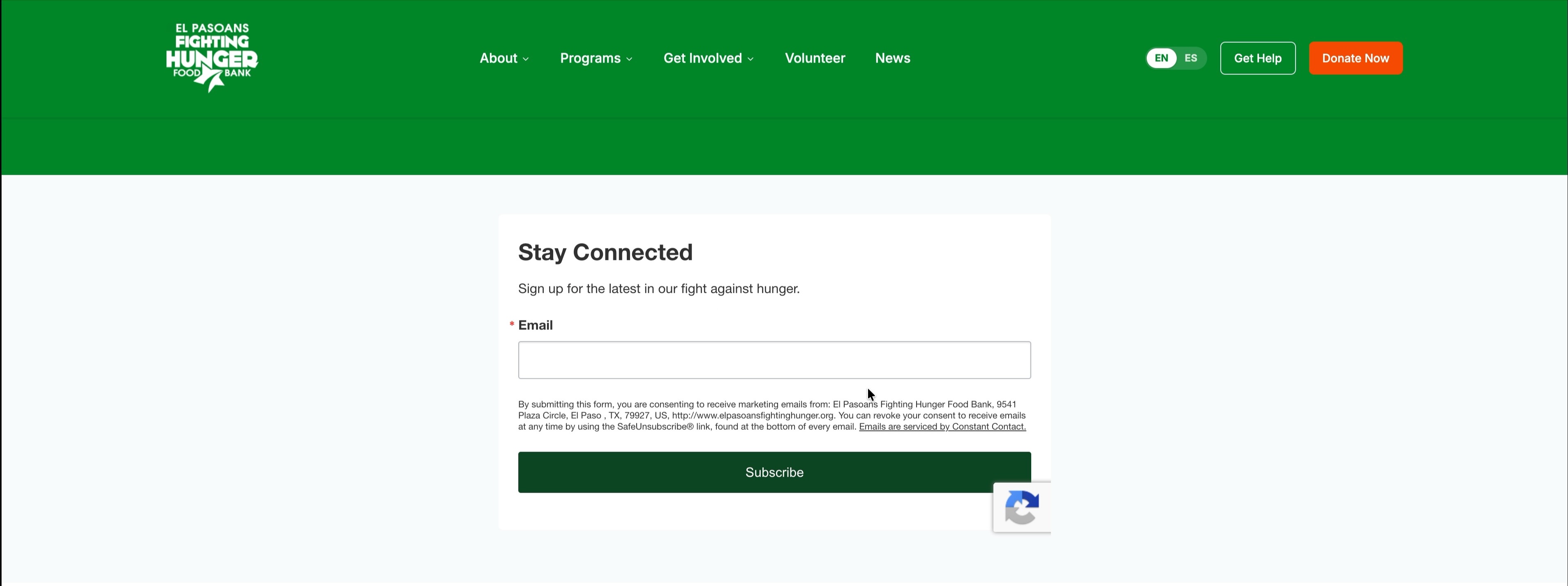
Further down, the Hunger Warriors section invites visitors to join the monthly giving club.

El Pasoans Fighting Hunger · Donor experience audit
5
Step 2 · /donate page
Working well
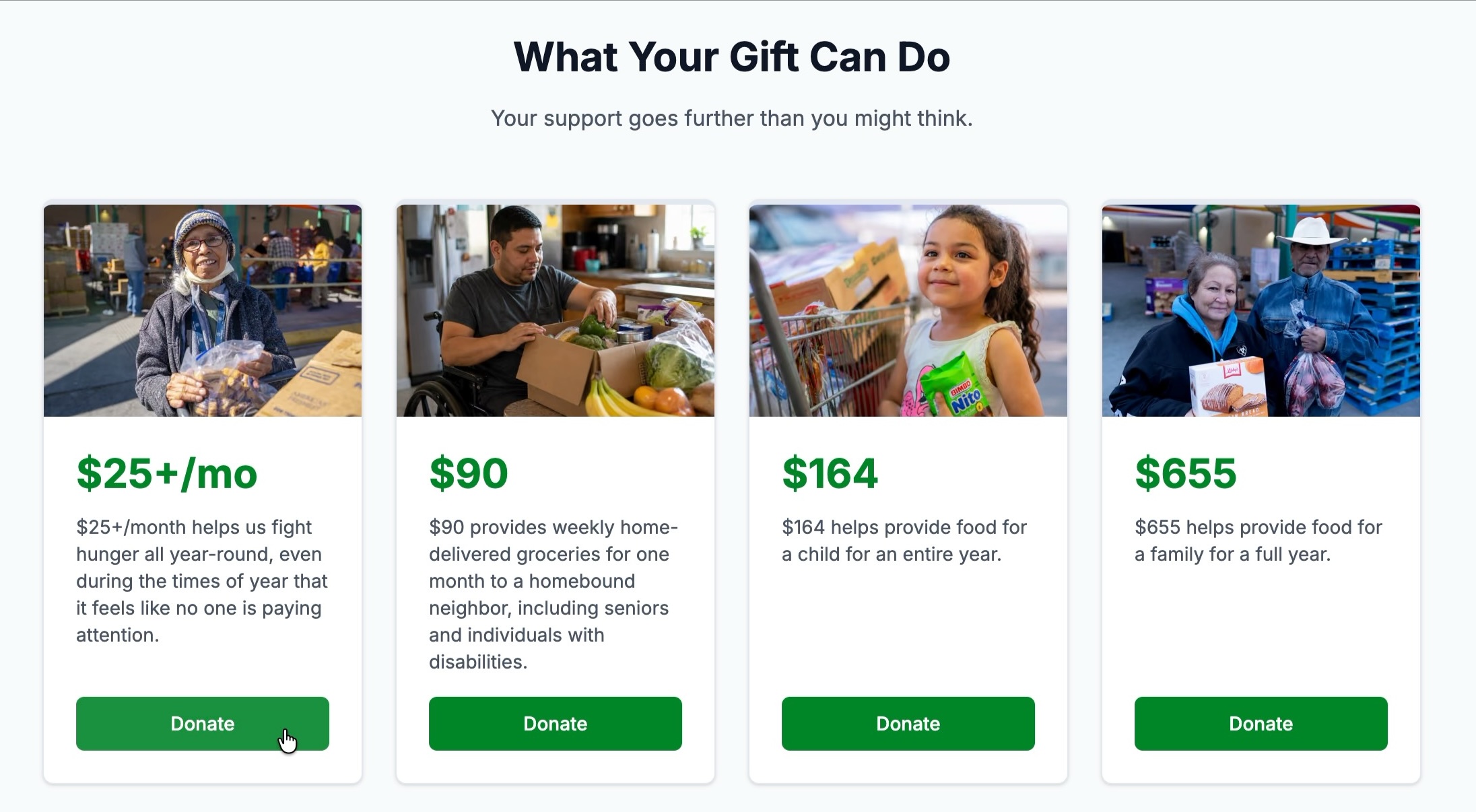
Two clear choices up top: “Give Today” and “Become a Monthly Donor”.
Impact cards tie amounts to outcomes: $25+/mo, $90, $164 and $655, each with its own Donate button.

El Pasoans Fighting Hunger · Donor experience audit
6
Step 3 · Donation form
Opportunity
Donors start here

The form opens here, in a new browser tab

Each time the walkthrough moved to a donation form, it opened on host.nxt.blackbaud.com in a new tab, away from the site. Next step: open the form on top of the page the donor is already on.
El Pasoans Fighting Hunger · Donor experience audit
7
Step 3 · Donation form
Working well
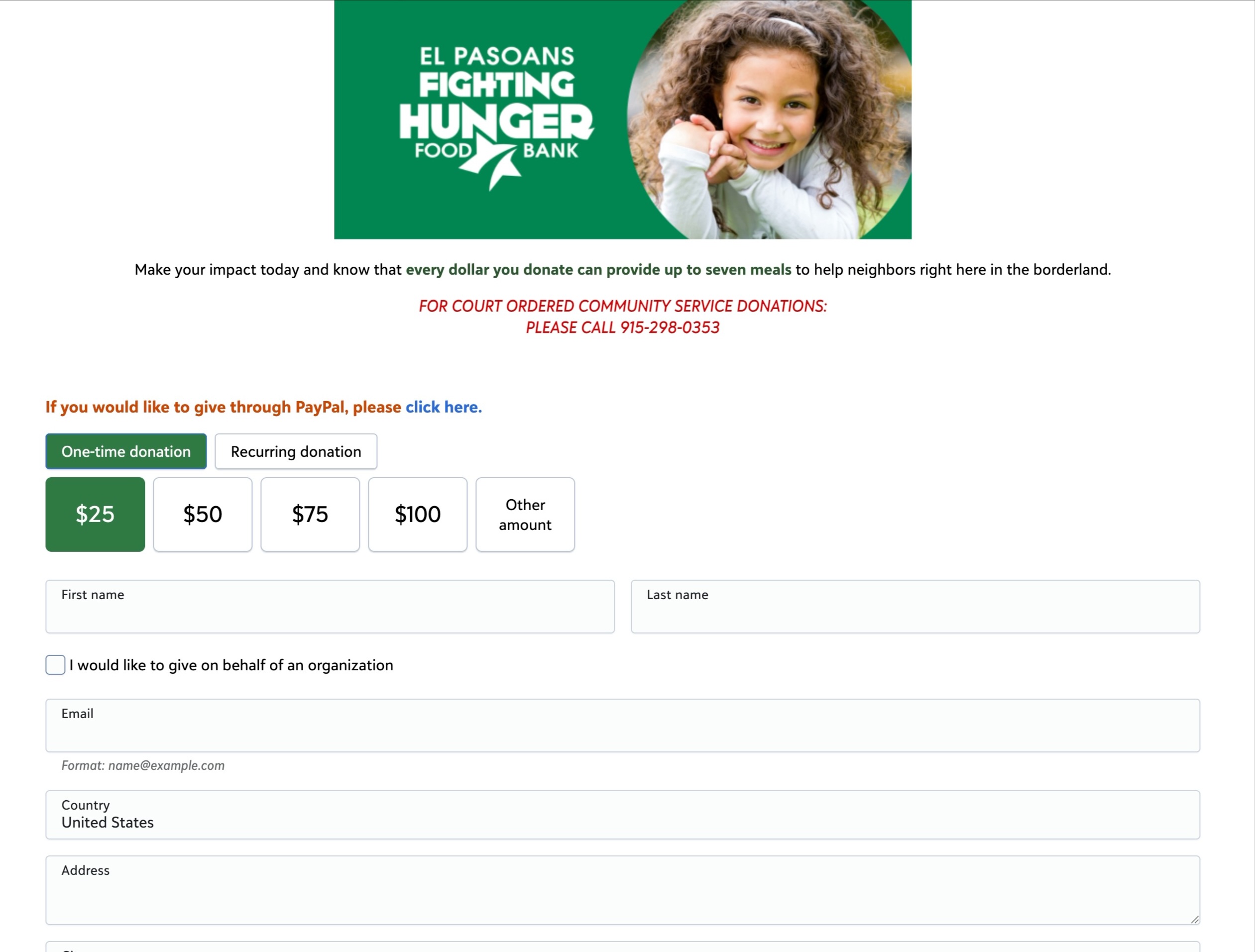
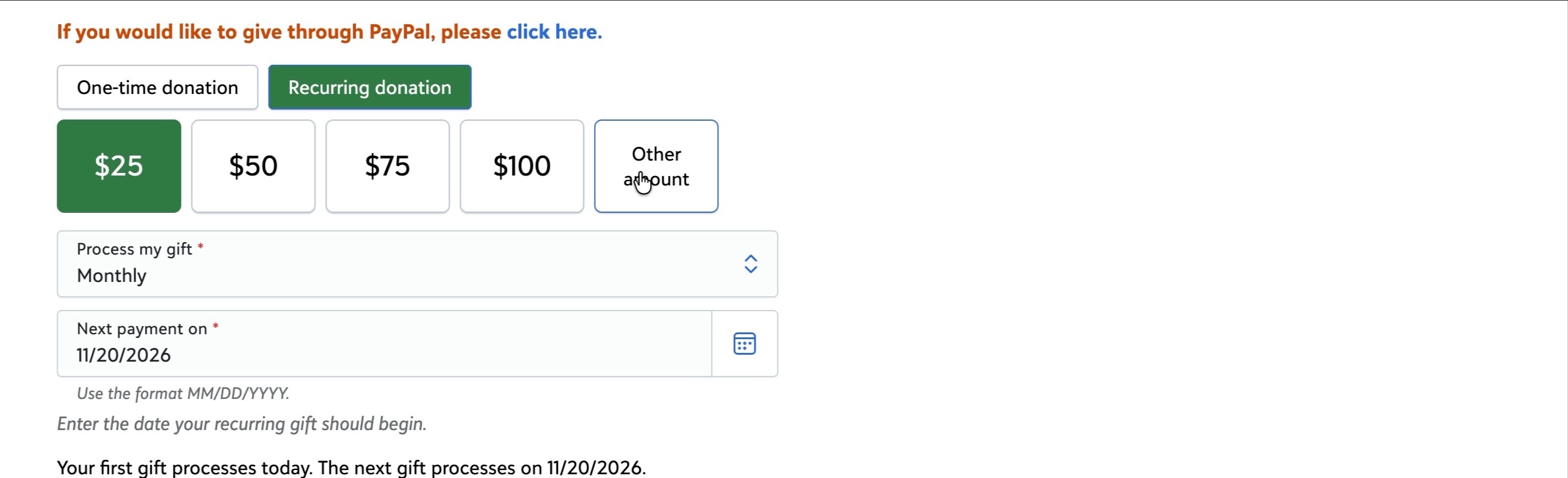
$25 is pre-selected, with $50, $75, $100 and Other amount beside it.
Opportunity
PayPal isn’t a payment option in the form. Donors have to find a separate “click here” link at the top.
One-time is the default. Amounts are in US dollars, with no currency choice.
El Pasoans Fighting Hunger · Donor experience audit
8
Step 3 · Donation form
Working well
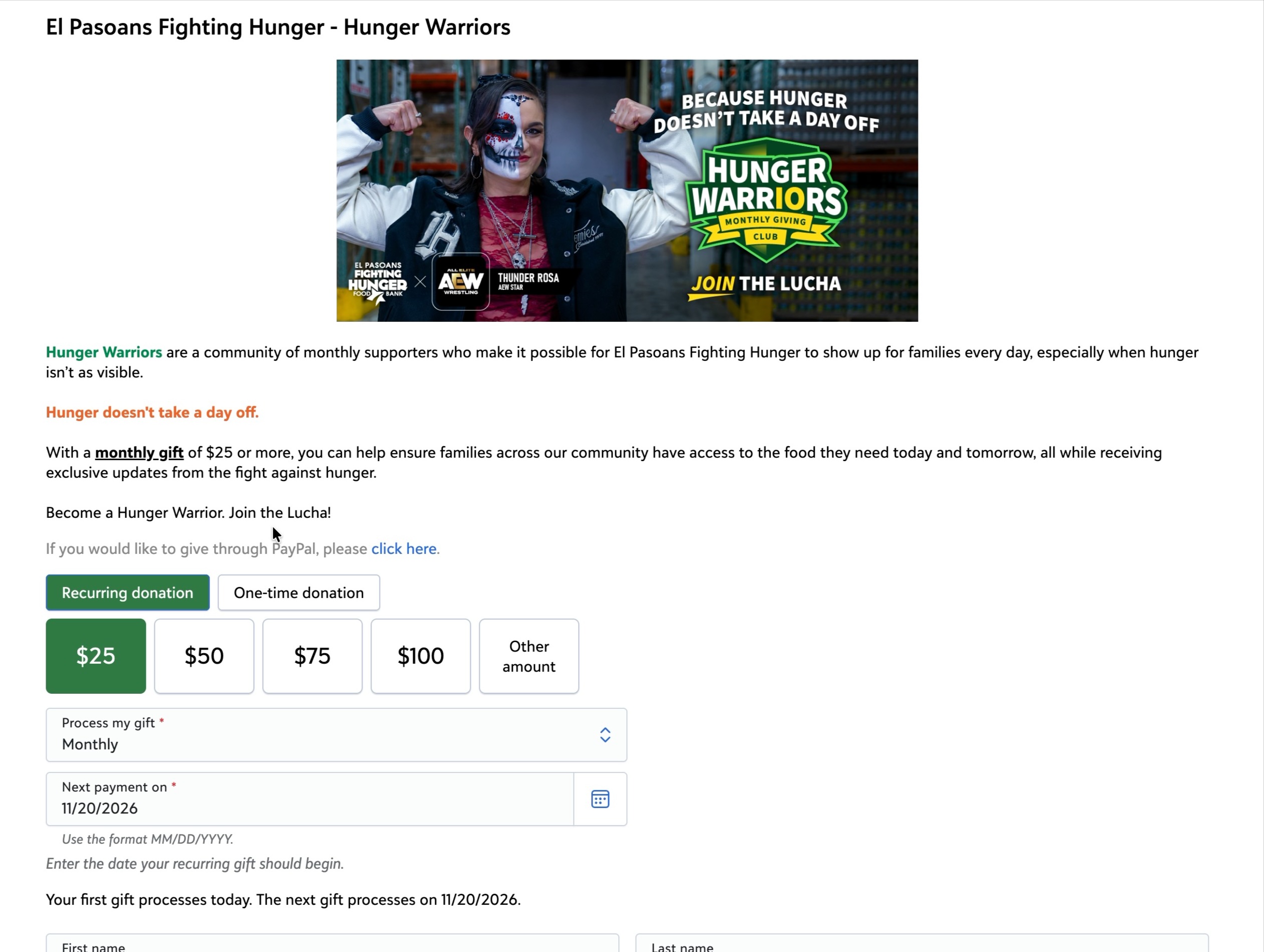
Choosing Recurring adds a frequency selector (Monthly) and a start date.
Hunger Warriors has its own form, with Recurring pre-selected.
Opportunity
On the main form, no prompt to switch a one-time gift to monthly appeared.
El Pasoans Fighting Hunger · Donor experience audit
9
Step 3 · Donation form
Opportunity
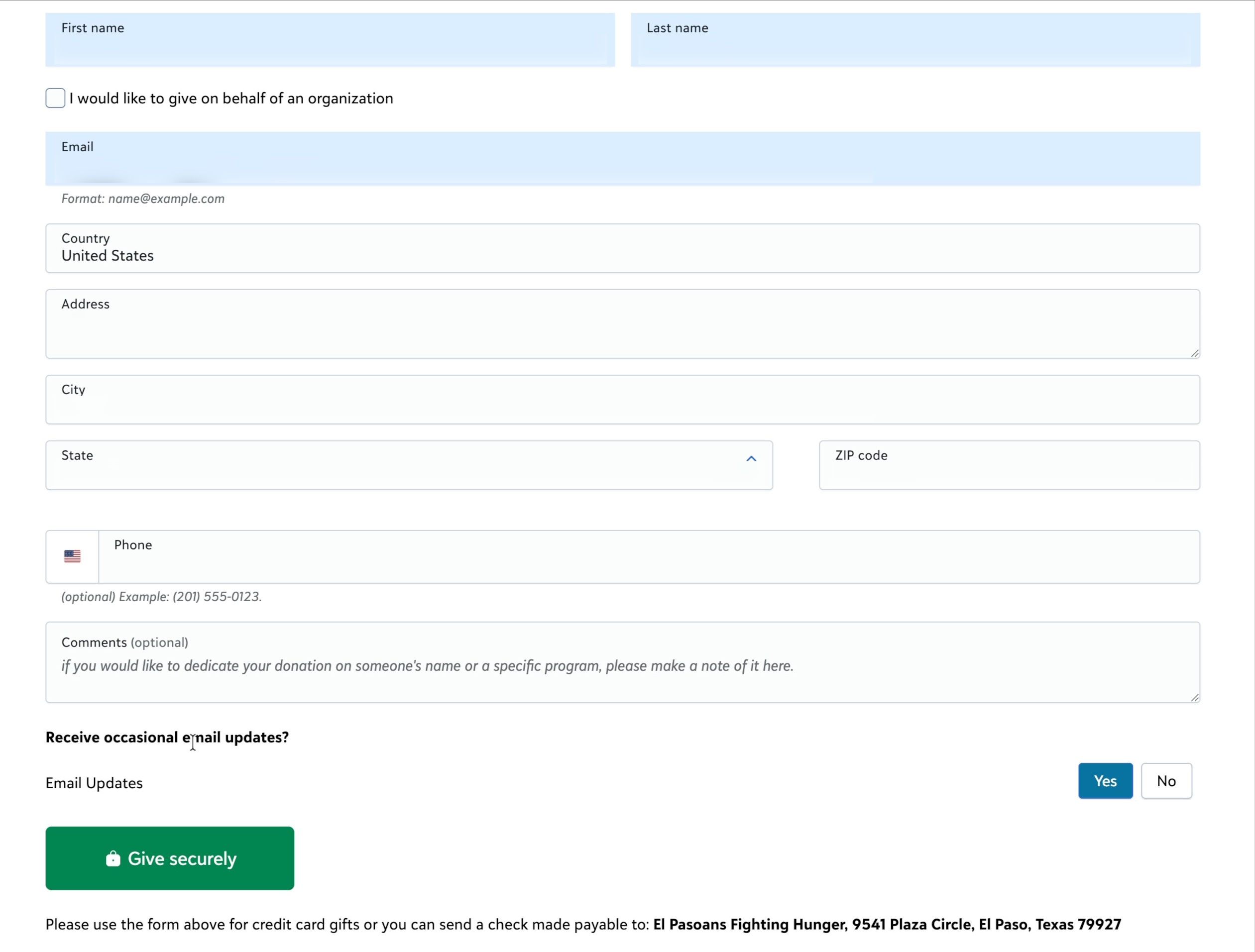
12
inputs on this page
~70s
amount to confirmation
Name (2), organization box, email, country, address, city, state, ZIP, phone, comments and email updates.
The full mailing address is asked for, and the gift took over a minute even with browser autofill.
Personal details blurred
10
Step 4 · Payment pop-up
Working well
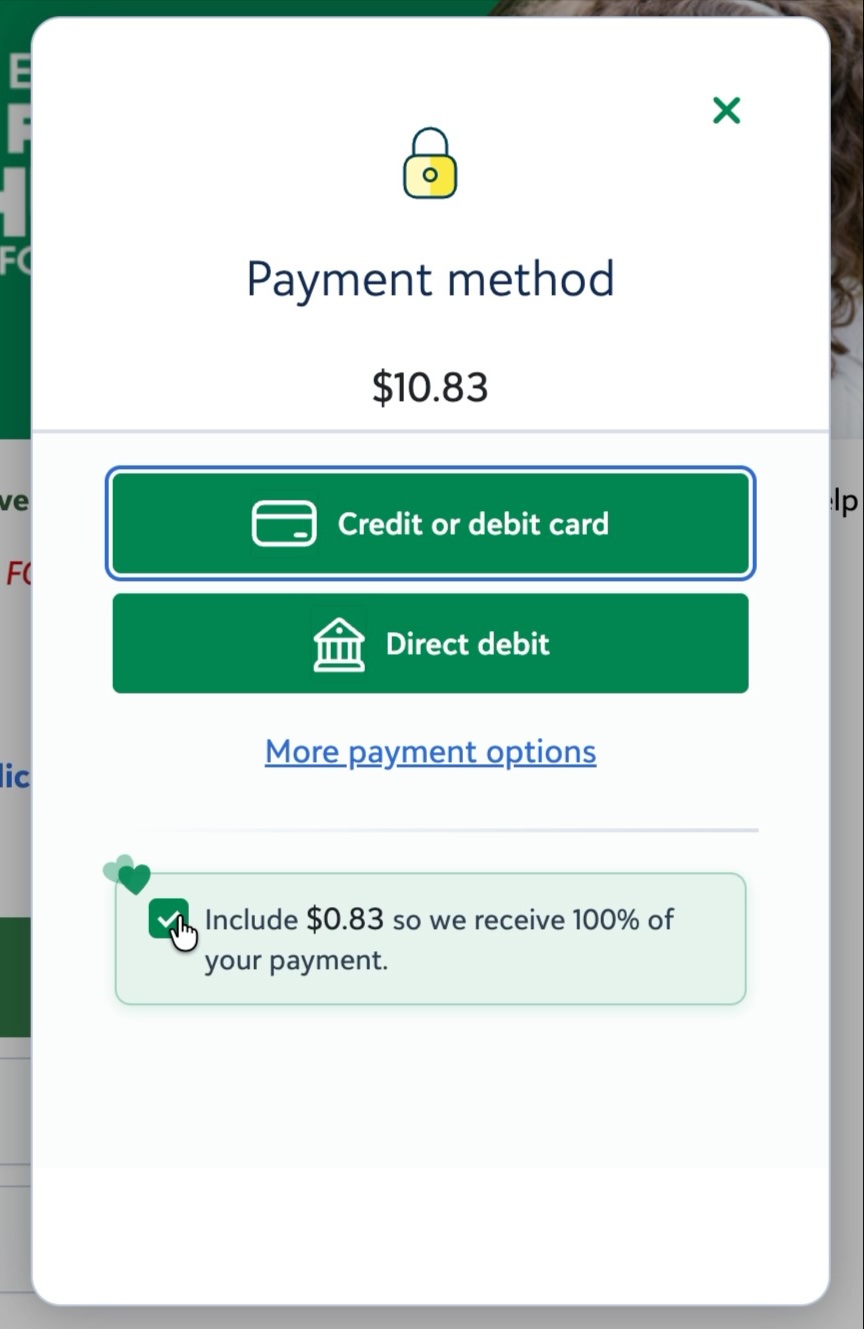
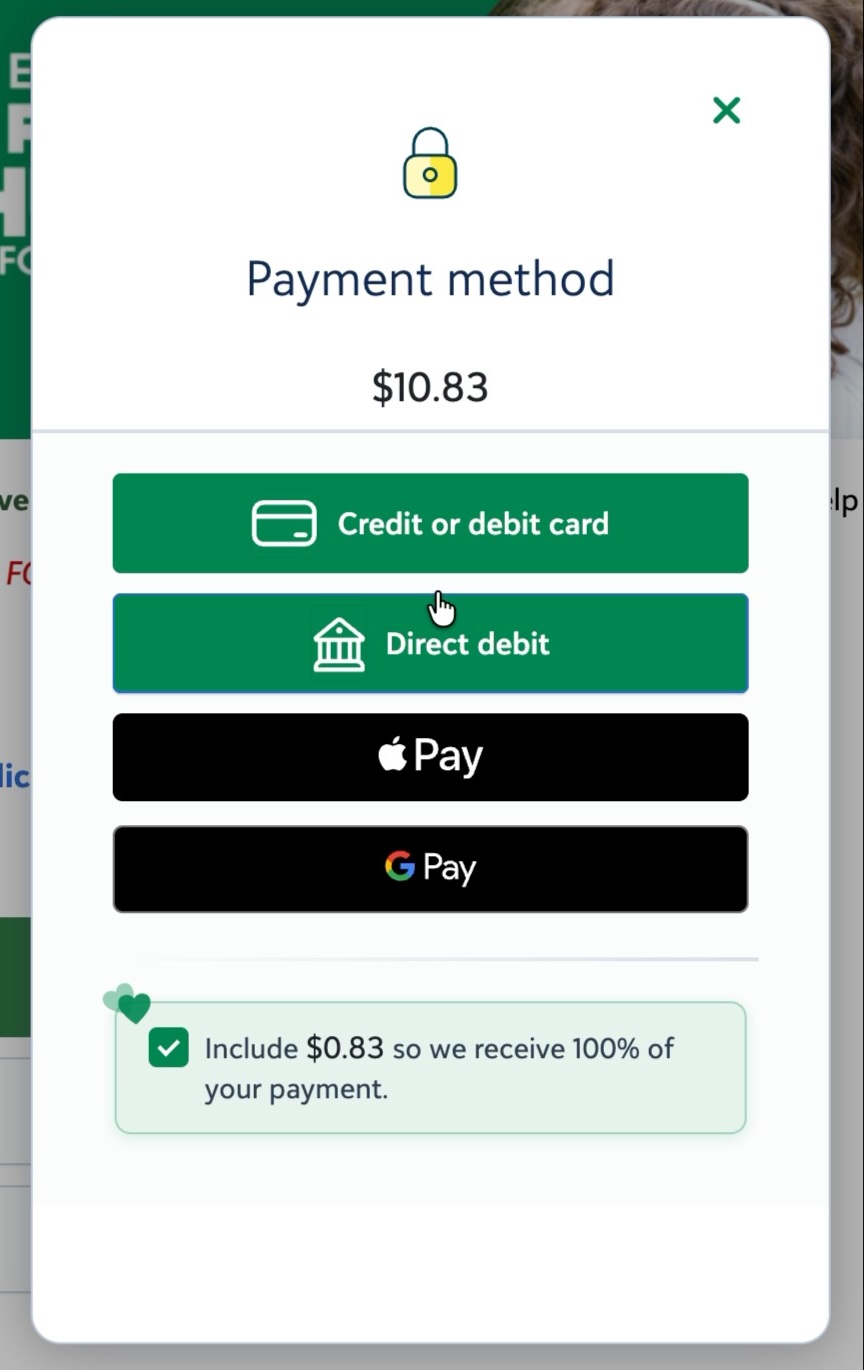
Card, direct debit, Apple Pay and Google Pay are offered.
Covering the fee is pre-checked: “Include $0.83 so we receive 100% of your payment.”
Opportunity
Apple Pay and Google Pay sit behind “More payment options”. PayPal isn’t in this list.
First view
After “More payment options”
El Pasoans Fighting Hunger · Donor experience audit
11
Step 4 · Payment pop-up
Opportunity
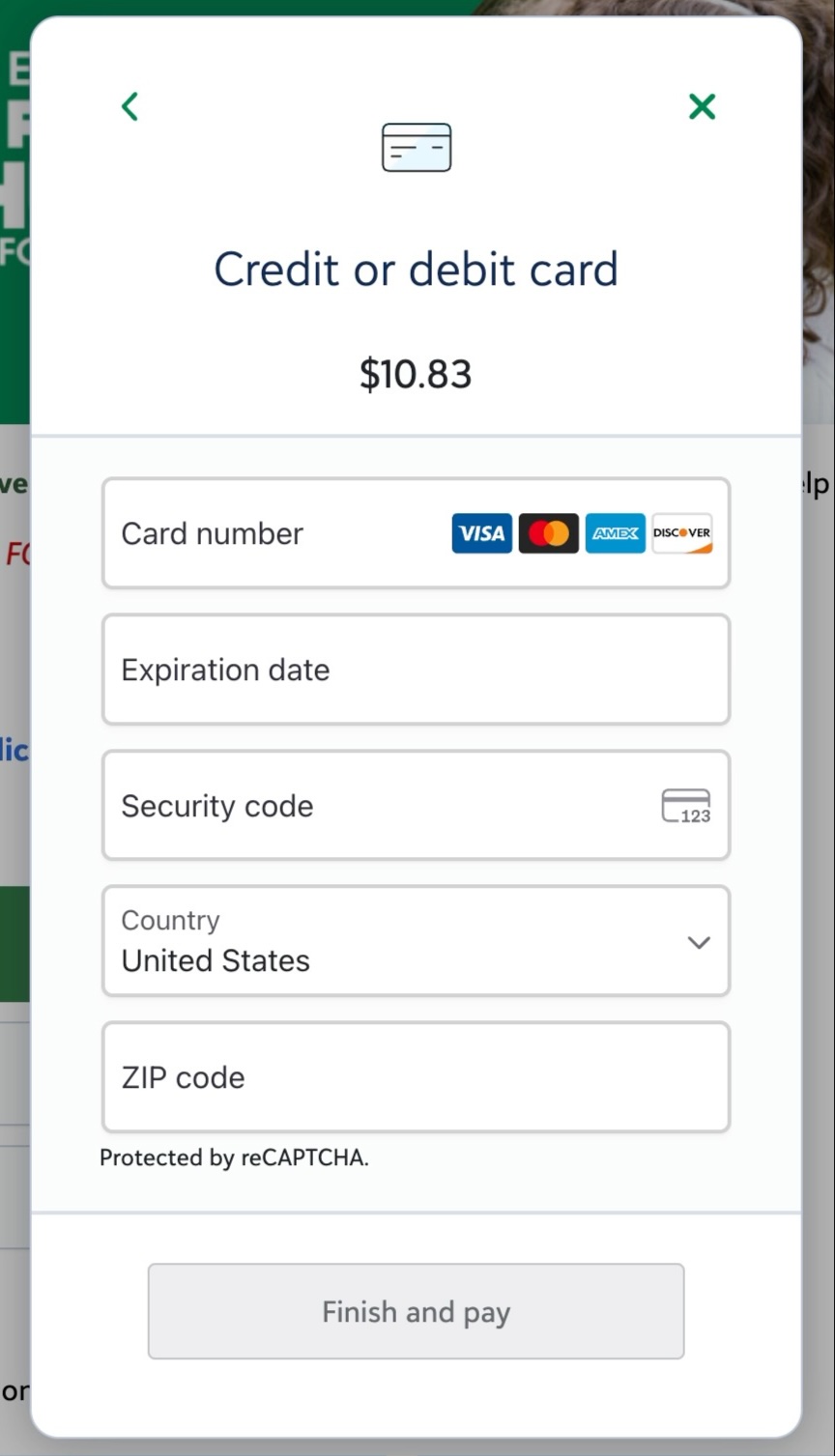
The card screen asks for Country and ZIP code again. The donor already entered both on the form.
Paying by card takes three clicks after the form is filled in:
Give securely
Credit or debit card
Finish and pay
El Pasoans Fighting Hunger · Donor experience audit
12
Step 5 · Confirmation page
Working well
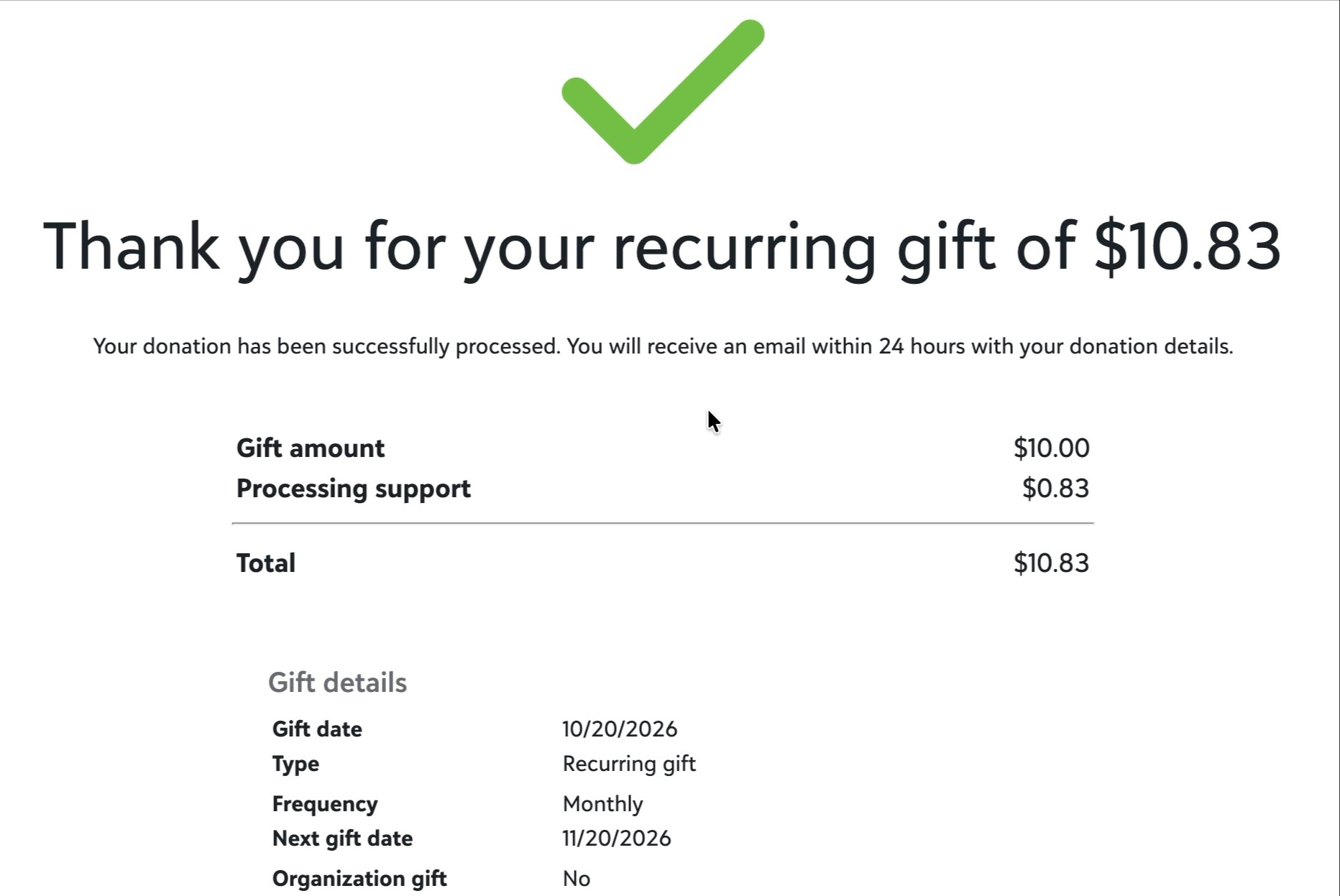
A plain thank-you with the amount, the fee covered, the frequency and the next gift date.
Opportunity
In the part of the page the recording shows, there’s no next step: no share, volunteer or link to manage the monthly gift.
El Pasoans Fighting Hunger · Donor experience audit
13
Step 6 · Receipt email
Working well
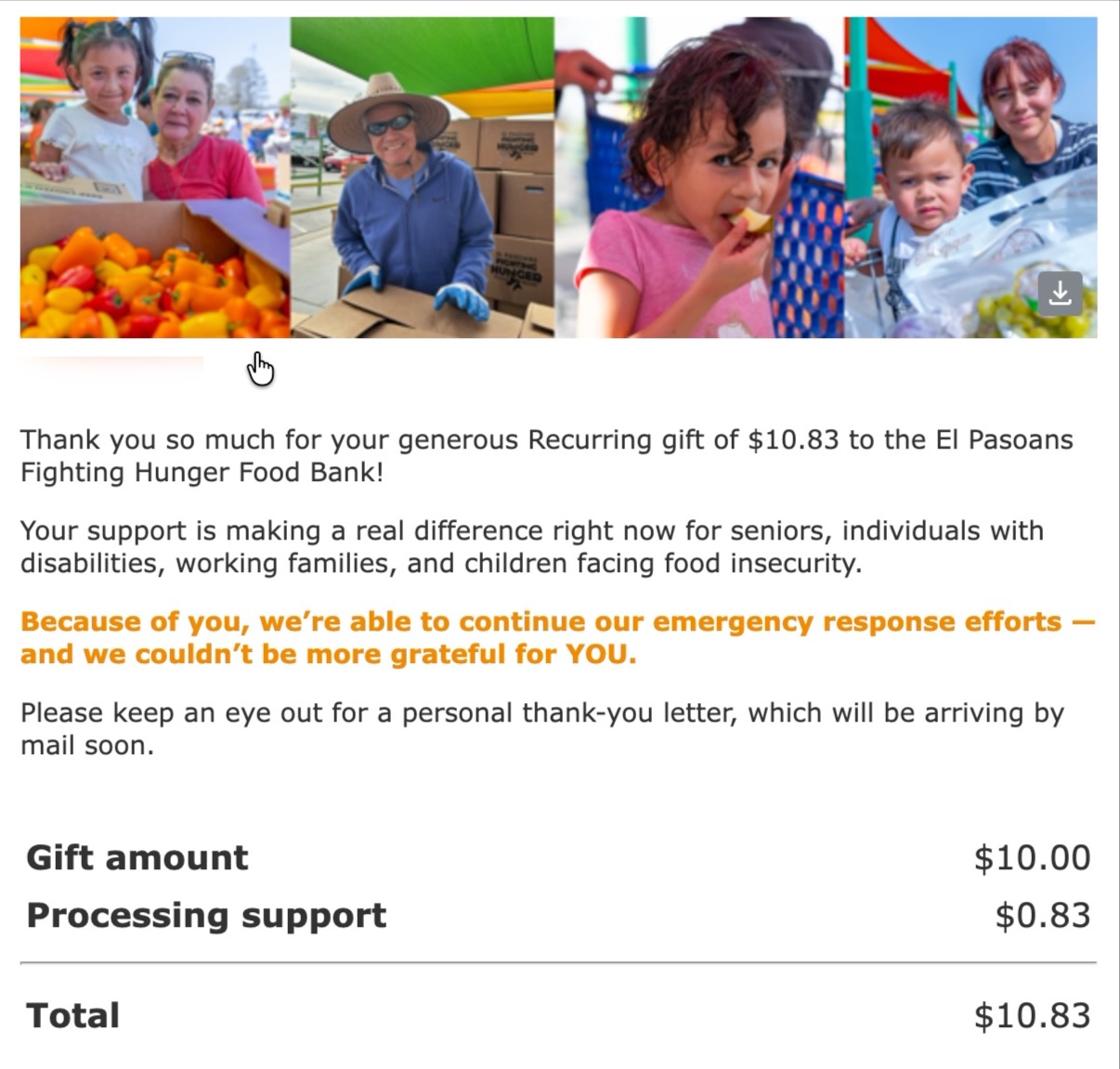
It arrived within about a minute of the gift; the inbox stamped it “0 minutes ago”.
It names who the gift helps, itemizes the amount and fee, and promises a personal thank-you letter by mail.
Opportunity
In the part of the email reviewed, there’s no link to manage or update the monthly gift.
Donor name blurred
14
Where to start
1
Every form in the walkthrough opened on a Blackbaud page in a new tab.
2
One-time is the default, no upgrade prompt appeared, and Hunger Warriors lives on its own form.
3
12 inputs, country and ZIP asked twice, PayPal as an outside link, wallets behind a link.
El Pasoans Fighting Hunger · Donor experience audit
15
Scoring notes
| Scorecard check | Marked | How it was scored |
|---|---|---|
| Form optimized for mobile | Yes | Not shown in this desktop recording; marked Yes by the auditor |
| Validation to prevent errors | Yes | No error was triggered; format hints and card-type icons were visible |
| Multiple recurring frequencies | Yes | A frequency selector is shown; its options weren’t opened |
| Recovery for unfinished gifts | No | Not tested; nothing of the kind appeared in the walkthrough |
| Follow-up to one-time donors | No | The test gift was monthly, so this couldn’t be seen |
| Donors manage their own giving | No | No portal or manage link seen on the confirmation page or email |
| Security & compliance | 3 of 4 | Based on the Blackbaud platform, not the walkthrough; ISO 27001 not confirmed |
El Pasoans Fighting Hunger · Donor experience audit
16